Camera tools
The Camera Tools group controls common attributes of the 3D Viewer rendering window (the camera).
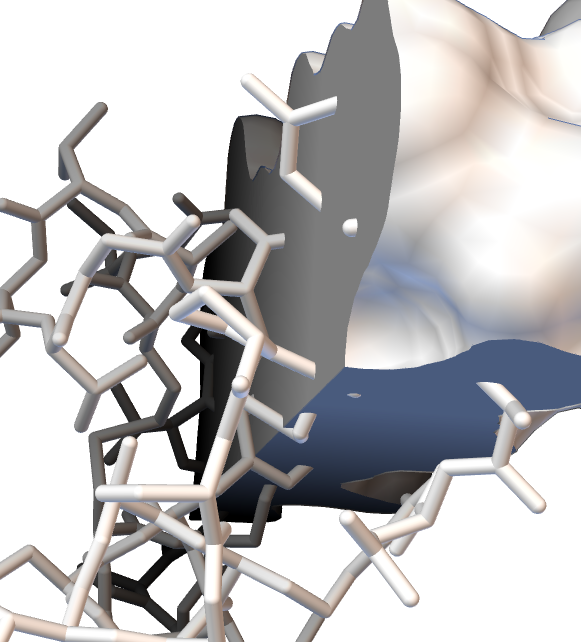
Background and fog. Set the background color with the color wheel button  . Depth cueing mixes the background color into the color of displayed objects according to their distance from the viewer; this fog-like effect enhances 3D perception. By default the fog color is the same as the background color. Clicking the chain icon
 between the two color wheel buttons stops the fog color from following the background. Once the link is broken
 , the second color wheel button becomes enabled and sets a fog color different from the background color. The picture below shows a white background with black fog.
Anti-aliasing. The AA button  sets the level of anti-aliasing. Anti-aliasing smooths the edges of lines and polygons by redrawing the scene several times while jittering the camera and accumulating pixel values. The higher the AA number, the smoother the edges; but since it is the number of times the scene is drawn, rendering can slow down. Modern graphics cards usually support 4×AA in hardware with no noticeable performance penalty.
Clipping and fog range. The clipZ thumbwheels  set the near and far clipping planes, which define the start and end of the 3D scene along the viewing axis. The fog thumbwheels
 set where the depth-cueing fog begins and ends, unless the fog is tied to the Z clipping planes; then it follows the near and far planes automatically. The vertical chain button
 to the right of the thumbwheels ties the fog to the Z clipping planes.