PMV’s GUI
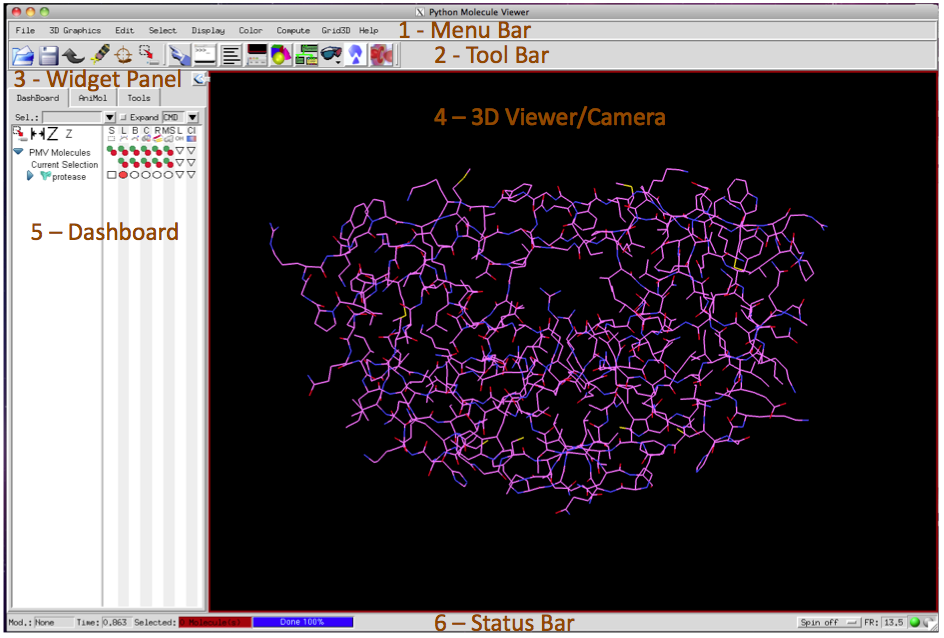
PMV’s graphical user interface (GUI) is made of 1) a menu bar at the top, 2) a toolbar below the menu bar, 3) a panel in which tools place their controls (here the Dashboard, the default panel shown in this area), 4) the 3D Viewer window, in which molecules are rendered interactively as 3D objects, and 5) a status bar.
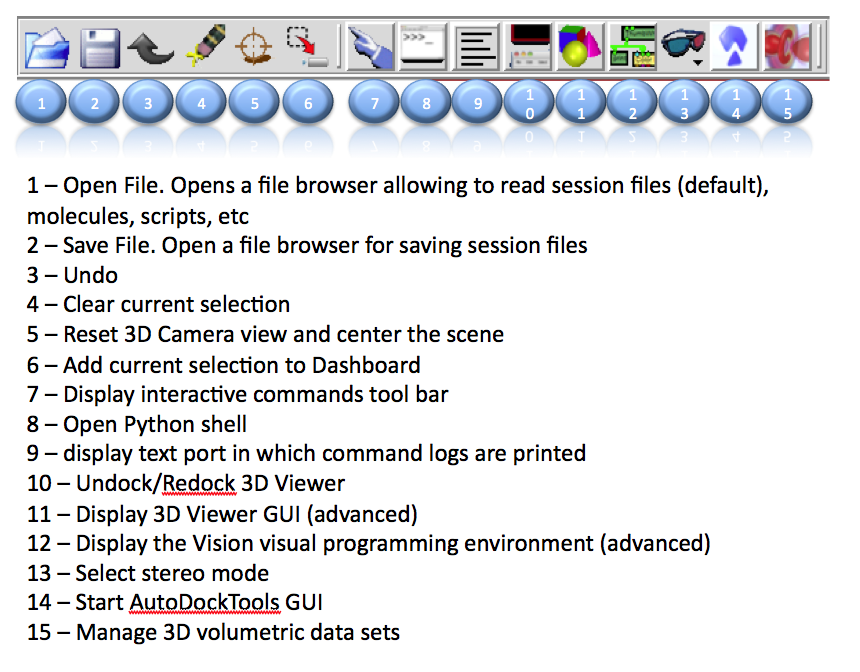
Toolbar
The toolbar provides buttons that are shortcuts for common actions in PMV.
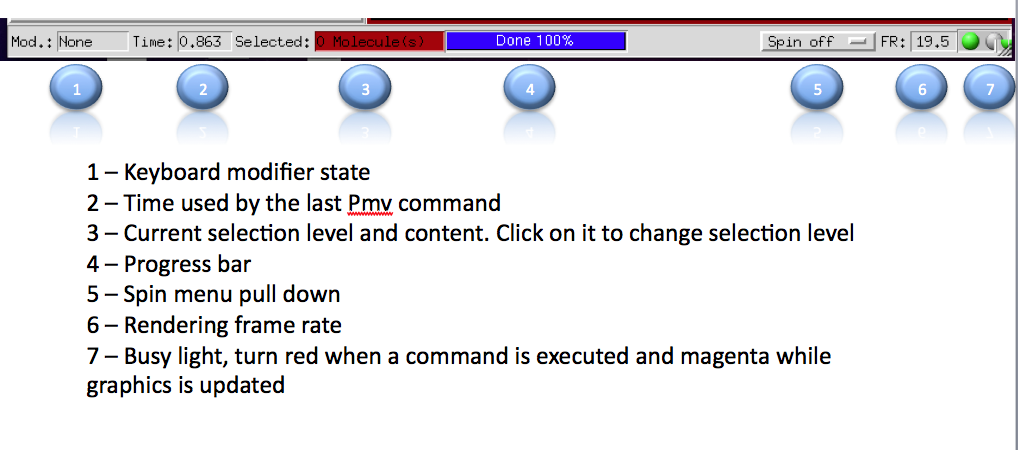
Status bar